

Open Orders
Limit orders waiting to be filled.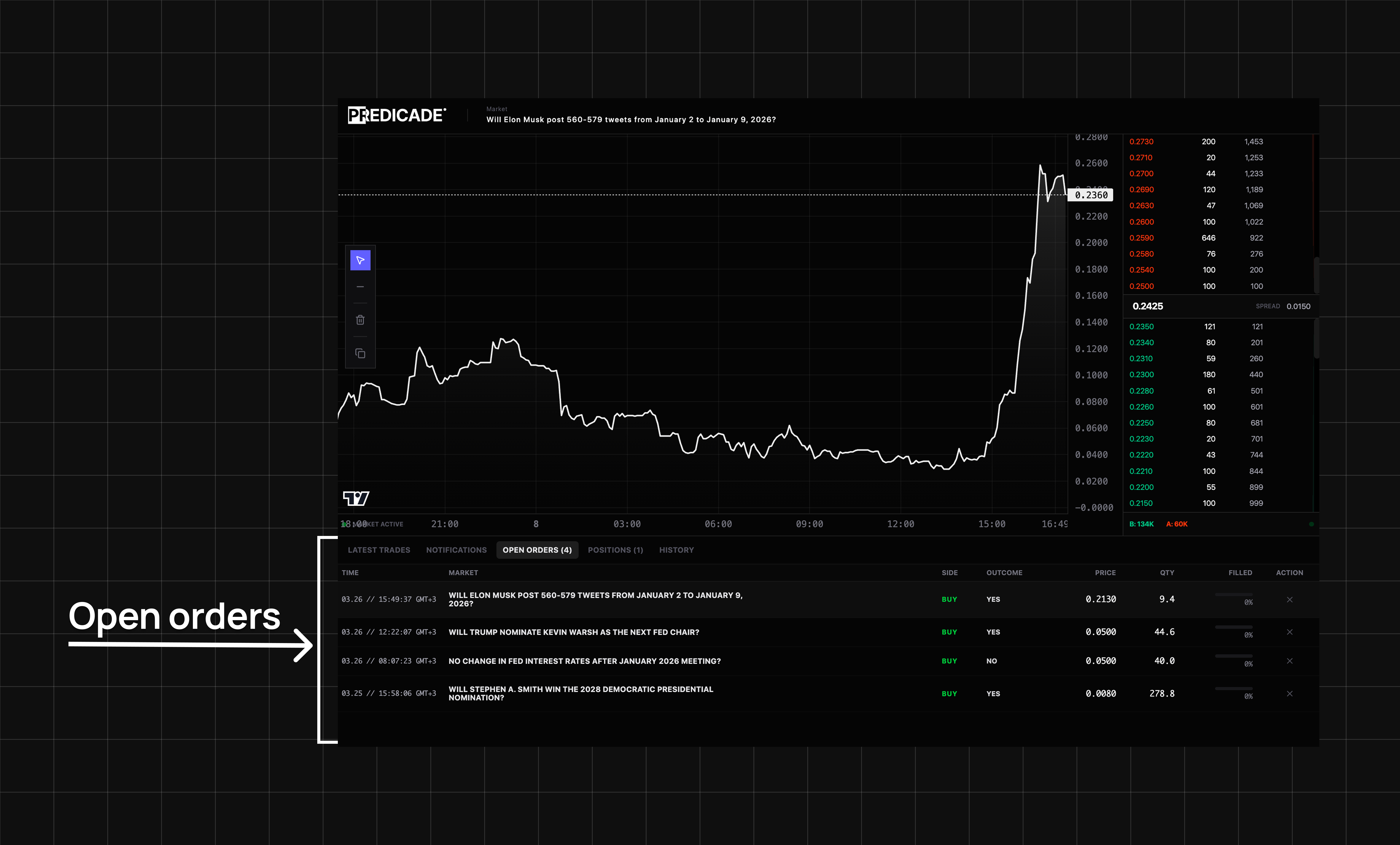
| Column | Meaning |
|---|---|
| Time | When order was placed |
| Market | Which prediction market |
| Side | BUY or SELL |
| Outcome | Which outcome you bet on |
| Price | Your limit price |
| Qty | Number of shares |
| Filled | How much has matched |
Positions
Shares you currently own.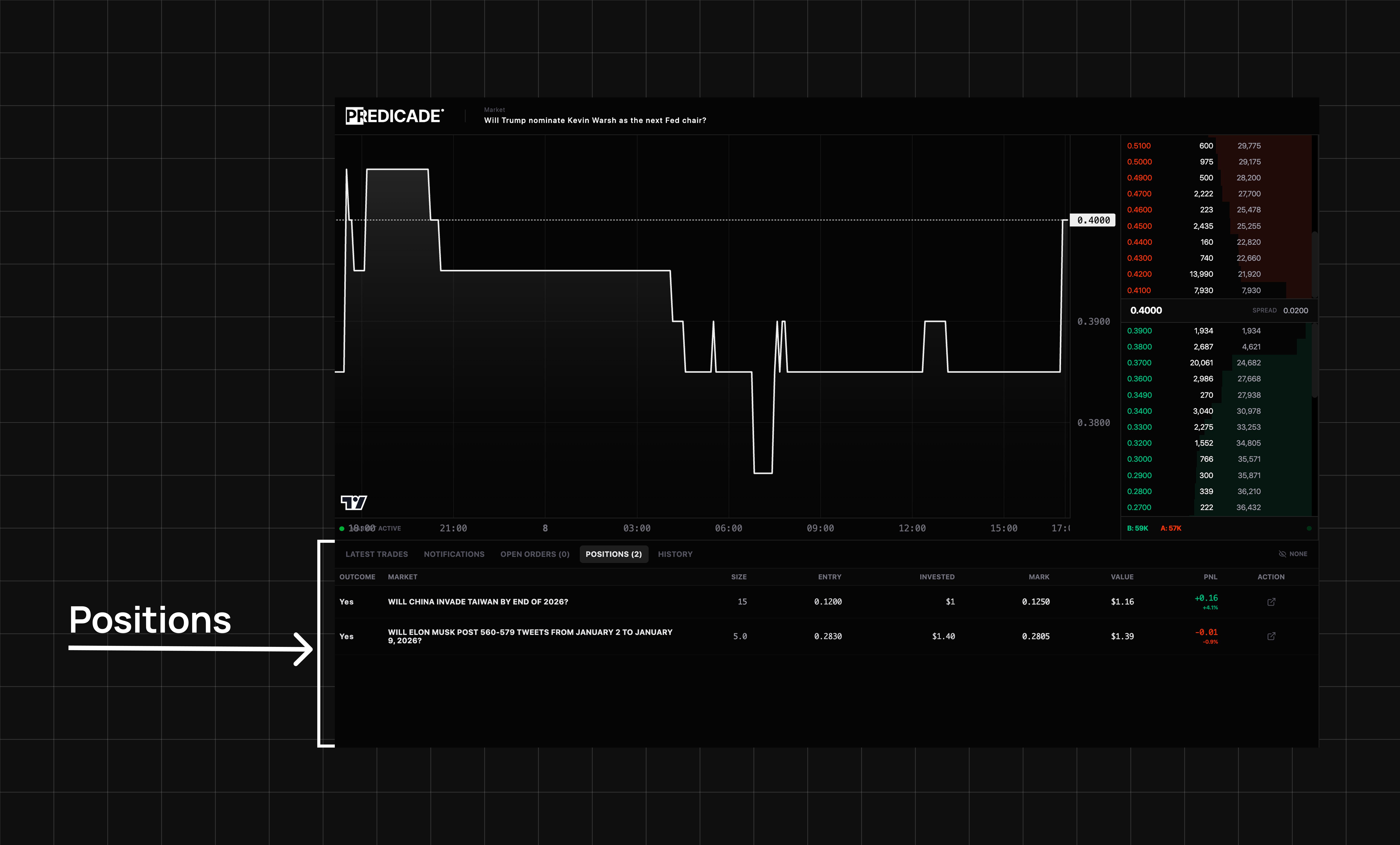
| Column | Meaning |
|---|---|
| Market | The prediction market |
| Outcome | Outcome you bet on |
| Size | How many you own |
| Entry | At which price you bought |
| Invested | How much you paid |
| Mark | Market’s current price |
| Value | Current value of your position |
| P&L | Unrealized profit/loss |
Closing a Position
Three options:- Sell now - Market order for immediate exit
- Sell at your price - Limit order, waits for a match
- Wait for resolution - If right: $1/share. If wrong: $0.
Redeeming Resolved Positions
When a market resolves, go to Positions and click Redeem. Winnings convert to USDC.Order History
Record of all past trades with timestamps, prices, amounts, and transaction hashes.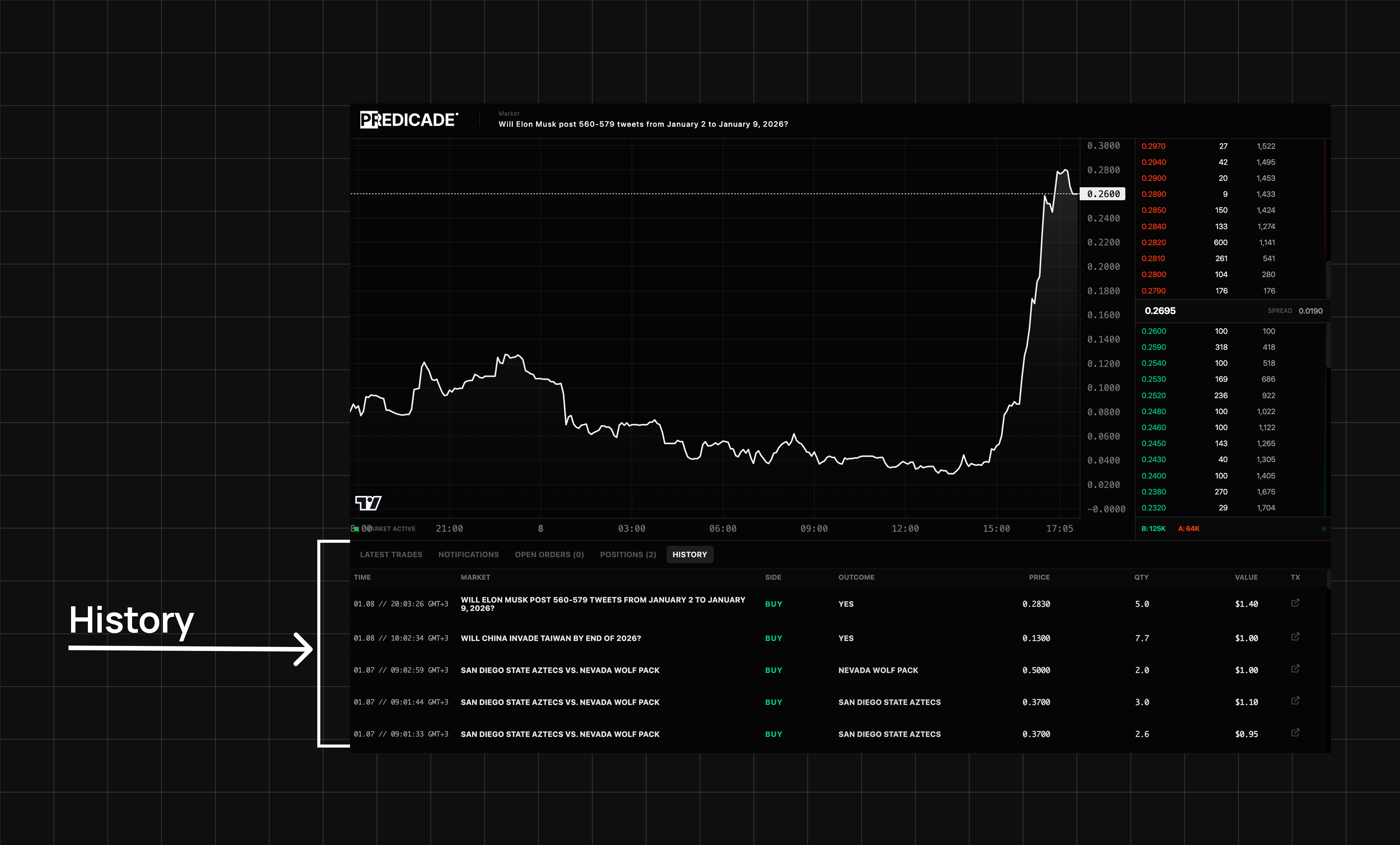
Troubleshooting
P&L looks wrong
P&L looks wrong
P&L uses your average entry price across all trades. Current price comes from order book mid-point.
Can't find my order
Can't find my order
Check Open Orders (pending) and History (filled/cancelled). Use tx hash on PolygonScan if missing.
Redeem button not working
Redeem button not working