

Finding a Market and Placing a Trade
Two ways to find markets:- From alerts - Click any alert to open that market’s terminal
- Search - Press SPACE to search by keyword
1
Choose BUY or SELL
BUY to acquire shares, SELL to exit a position.
2
Choose Order Type
| Type | How It Works |
|---|---|
| Market | Executes instantly at best available price |
| Limit | You set the price, waits for a match |
3
Enter Amount
Enter in USD or shares - hit settings button in top right to choose preferred. Use quick buttons (25%, 50%, 75%, 100%) to size based on your balance.Minimum: $1 for limit orders, 5 shares minimum.
4
Review and Confirm
Check total cost, shares you’ll receive, and potential profit. Click confirm.
Order Types
Market Orders - Fast, simple, but price can slip on large orders. Best for small trades or when you need to act quickly. Limit Orders - You control the exact price, but may not fill if the market doesn’t reach it. Best for larger trades or specific price targets.Reading the Order Book
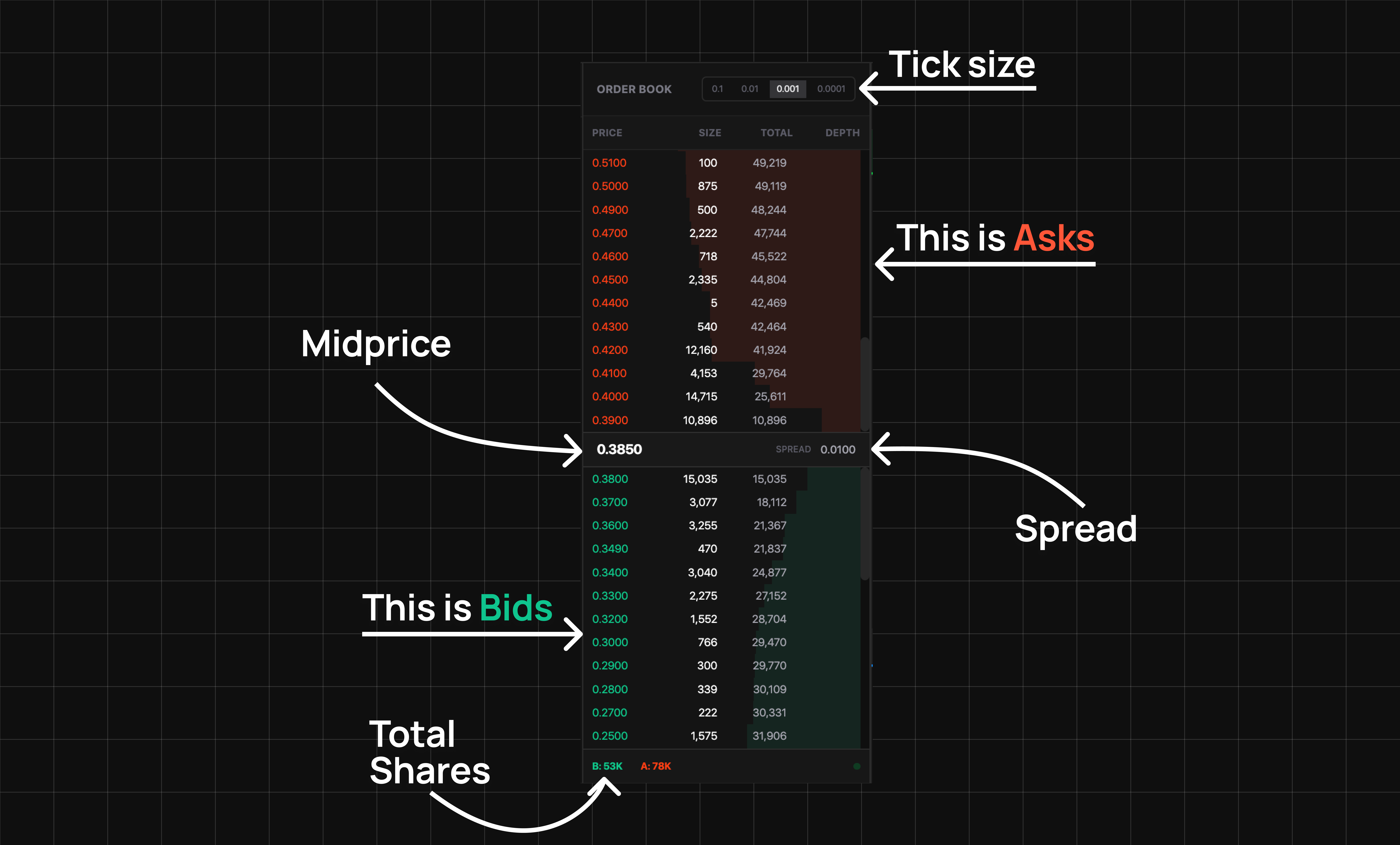
| Term | Meaning |
|---|---|
| Bid | Highest price buyers will pay |
| Ask | Lowest price sellers accept |
| Spread | Gap between bid and ask |
Profit Example
Troubleshooting
Order didn't go through
Order didn't go through
Check your balance, verify market is still open, and for limit orders check if your price is reasonable.
Got different price than expected
Got different price than expected
Market orders can slip. Use limit orders for exact prices.
Limit order not filling
Limit order not filling
Your price may be too far from market. Check the order book and adjust.